开源最前线(ID:OpenSourceTop) 猿妹 整编
综合自:https://github.com/dutchcoders/transfer.sh
今天,猿妹要和大家分享一个简单,方便,快捷的命令行文件分享服务——Transfer.sh,最关键的是它支持加密传输数据,最多允许你上传10GB,上传和下载的速度很快,上传后的文件支持URL共享,支持ZIP或Tar压缩格式。Transfer.sh 旨在与Linux shell一起使用目前支持 s3(Amazon S3)、gdrive(Google Drive)、storj(Storj)提供者和本地文件系统(local)。
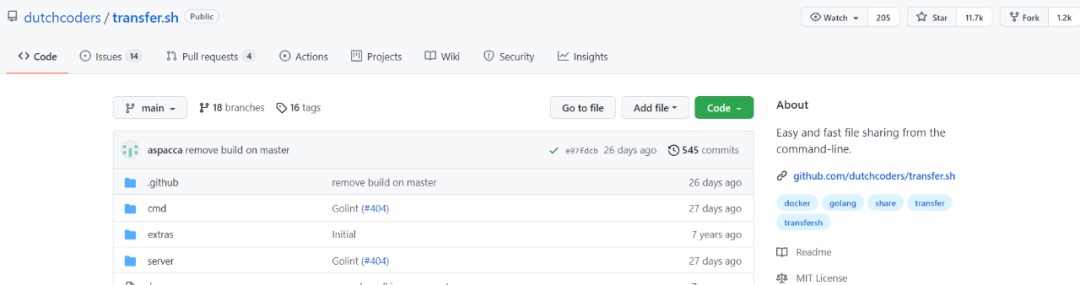
目前,Transfer.sh已经在Github上标星11.7K,累计分支1.2K(Github地址:https://github.com/dutchcoders/transfer.sh)
$ curl --upload-file ./hello.txt https://transfer.sh/hello.txt
$ cat /tmp/hello.txt|gpg -ac -o-|curl -X PUT --upload-file "-" https://transfer.sh/test.txt
$ curl https://transfer.sh/1lDau/test.txt|gpg -o- > /tmp/hello.txt
$ curl -X PUT --upload-file nhgbhhj https://transfer.sh/test.txt/virustotal
$ curl -X DELETE Url-Delete Response Header URL>
$ curl --upload-file ./hello.txt https:
//transfer.sh/hello.txt -H "Max-Downloads: 1" # Limit the number of downloads
$ curl --upload-file ./hello.txt https://transfer.sh/hello.txt -H "Max-Days: 1" # Set the number of days before deletion
--- EOF ---



