一般情况下,Ctrl+C 是最简单的方法,当无法 Ctrl+C 时,我们借助于 Python,以下是具体步骤:
第一步,安装工具库
1、tika — 用于从各种文件格式中进行文档类型检测和内容提取
2、wand — 基于 ctypes 的简单 ImageMagick 绑定
3、pytesseract — OCR 识别工具
创建一个虚拟环境,安装这些工具
python -m venv venv
source venv/bin/activate
pip install tika wand pytesseract
第二步,编写代码
假如 pdf 文件里面既有文字,又有图片,以下代码可以直接识别文字:
import io
import pytesseract
import sys

from PIL import Image
from tika import parser
from wand.image import Image as wi

text_raw = parser.from_file("example.pdf")
print(text_raw['content'].strip())
这还不够,我们还需要能失败图片的部分:
def extract_text_image(from_file, lang='deu', image_type='jpeg', resolution=300):
    print("-- Parsing image", from_file, "--")
    print("---------------------------------")
    pdf_file = wi(filename=from_file, resolution=resolution)
    image = pdf_file.convert(image_type)
    image_blobs = []
    for img in image.sequence:
        img_page = wi(image=img)
        image_blobs.append(img_page.make_blob(image_type))
    extract = []
    for img_blob in image_blobs:
        image = Image.open(io.BytesIO(img_blob))
        text = pytesseract.image_to_string(image, lang=lang)
        extract.append(text)
    for item in extract:
        for line in item.split("\n"):
            print(line)
合并一下,完整代码如下:
import io
import sys

from PIL import Image
import pytesseract
from wand.image import Image as wi
from tika import parser


def extract_text_image(from_file, lang='deu', image_type='jpeg', resolution=300):
    print("-- Parsing image", from_file, "--")
    print("---------------------------------")
    pdf_file = wi(filename=from_file, resolution=resolution)
    image = pdf_file.convert(image_type)
    for img in image.sequence:
        img_page = wi(image=img)
        image = Image.open(io.BytesIO(img_page.make_blob(image_type)))
        text = pytesseract.image_to_string(image, lang=lang)
        for part in text.split("\n"):
            print("{}".format(part))


def parse_text(from_file):
    print("-- Parsing text", from_file, "--")
    text_raw = parser.from_file(from_file)
    print("---------------------------------")
    print(text_raw['content'].strip())
    print("---------------------------------")


if __name__ == '__main__':
    parse_text(sys.argv[1])
    extract_text_image(sys.argv[1], sys.argv[2])
第三步,执行
假如 example.pdf 是这样的:
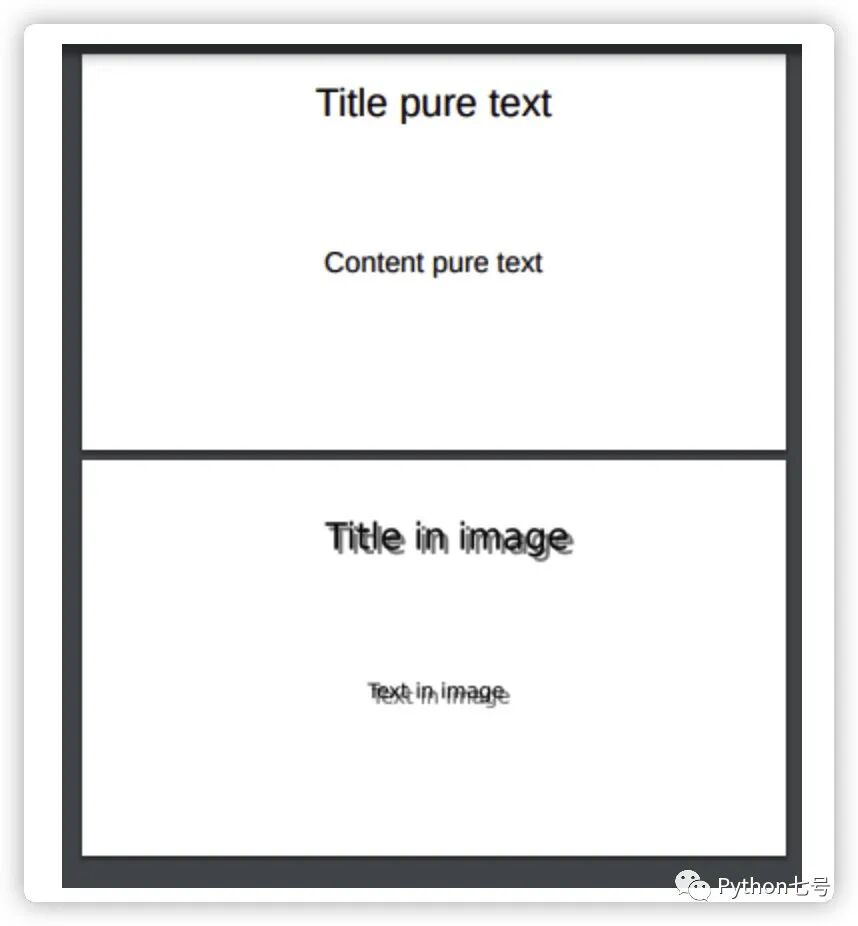
在命令行这样执行:
python run.py example.pdf deu | xargs -0 echo > extract.txt
最终 extract.txt 的结果如下:
-- Parsing text example.pdf --
---------------------------------
Title pure text

Content pure text


	Slide 1
	Slide 2
---------------------------------
-- Parsing image example.pdf --
---------------------------------
Title pure text

Content pure text

Title in image

Text in image
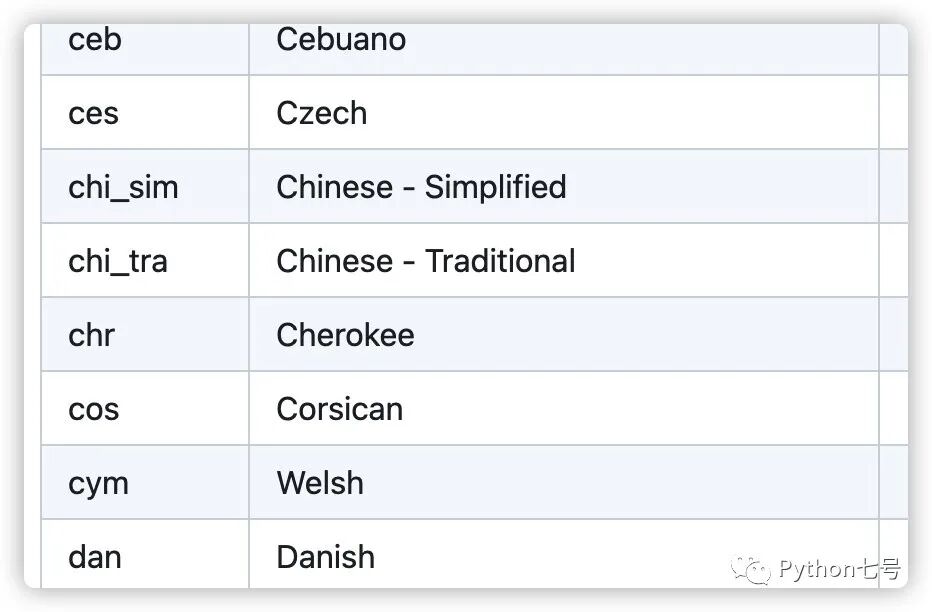
你可能会问,如果是简体中文,那个 lang 参数传递什么,传 'chi_sim',其实是有官方说明的,链接如下:
https://github.com/tesseract-ocr/tessdoc/blob/main/Data-Files-in-different-versions.md