相信大家在初中电脑课上都偷偷玩过 Flash 游戏--是男人就坚持 100 秒,在游戏中无数的小球随机运动,玩家用鼠标控制大球,当大球碰撞到小球后,游戏结束,显示坚持的时间。今天我们一起来开发这个小游戏吧。
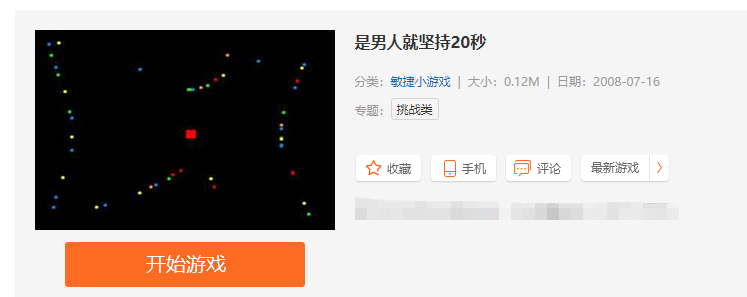
步骤分布:
设置屏幕大小和标题
import pygame

W = 600
H = 500

 # 初始化pygame模块
pygame.init()
# 设置窗口大小
screen = pygame.display.set_mode((W,H))
# 设置窗口标题
pygame.display.set_caption('是男人就坚持100秒')
绘制小球、移动
小球是圆形的,圆的半径决定了小球的大小并且在小球移动的时它的 X 坐标和 Y 坐标一直时在变动的,所以设置 X 坐标、Y 坐标、X 方向移动速度、Y 方向移动速度变量。小球每次移动的坐标都是 X 坐标 + X 方向移动速度、Y 坐标 + Y 方向移动速度。time.sleep(0.001) 可以调整小球的移动的时间,时间约大移动越慢。当小球碰到左右边界的时候需要调整 X 方向移动速度、Y 方向移动速度为负的
class Ball:
x = None # x坐标
y = None # y坐标
speed_x = None # x方向移动的速度
speed_y = None # y方向移动的速度
radius = None # 小半径
color = None # 颜色
def __init__(self, x, y, speed_x, speed_y, radius, color):
"""
初始化
:param x: X坐标
:param y: Y坐标
:param speed_x: X轴方向速度
:param speed_y: Y轴方向速度
:param radius: 半径
:param color: 颜色
"""
self.x = x
self.y = y
self.speed_x = speed_x
self.speed_y = speed_y
self.radius = radius
self.color = color
def draw(self, screen):
"""
绘制小球
:param screen: 窗口
:return:
"""
pygame.draw.circle(screen, self.color, [self.x, self.y], self.radius)
def move(self, screen):
"""
小球移动
:param screen: 窗口
:return:
"""
self.x += self.speed_x
self.y += self.speed_y
# 左右边界
if self.x > W - self.radius or self.x self.speed_x = -self.speed_y
# 上下边界
if self.y > H - self.radius or
self.y self.vy = -self.vy
# 移动频率
time.sleep(0.001)
self.draw(screen)
balls = []
def create_ball(screen):
"""
创建小球
:param screen:
:return:
"""
x = random.randint(0, W)
y = random.randint(0, H)
speed_x = random.randint(-5, 5)
speed_y = random.randint(-5, 5)
r = 3
color = 'white'
b = Ball(x, y, speed_x, speed_y, r, color)
balls.append(b)
b.draw(screen)
大球的绘制和鼠标控制大球
大球主要的属性有半径、颜色,移动的速度和方向都是跟随鼠标运动的,捕获鼠标的位置设置大球的 X、Y 坐标
class Player:

    radius = None
    color = None
    x = 1000
    y = 1000

    def __init__(self, radius, color):
        """
        初始化
        :param radius: 半径
        :param color: 颜色
        """
        self.radius = radius
        self.color = color

    def move(self, screen):
        """
        大球移动
        :return:
        """
        # 鼠标检测
        if pygame.mouse.get_focused():
            # 获取光标位置,
            x, y = pygame.mouse.get_pos()

            mouse = pygame.mouse.get_pressed()

            pygame.draw.circle(screen, self.color, [x, y], self.radius)
            self.x = x
            self.y = y
大球碰撞到小球后游戏结束
当大球碰撞到小球后游戏就结束了,计算大球的坐标减去小球的坐标小于两球的半径之和就表示它们碰撞了
# 小球每次移动后计算碰撞结果
for ball in balls:
    ball.move(screen)
    if abs(p.x - ball.x) 13 and abs(p.y - ball.y) 13:
        is_loop = False #结束程序循环标志
        break
显示 GAME OVER 字样和游戏的时间
def show_text(screen, text, pos, color, font_bold=False, font_size=18, font_italic=False):
    """
    显示文字
    :param screen: 窗口
    :param text: 文字
    :param pos: 坐标
    :param color: 颜色
    :param font_bold: 是否粗体
    :param font_size: 大小
    :param font_italic: 是否斜体
    :return:
    """
    cur_font = pygame.font.SysFont('Courier', font_size)
    cur_font.set_bold(font_bold)
    cur_font.set_italic(font_italic)
    text_fmt = cur_font.render(text, 1, color)
    screen.blit(text_fmt, pos)

show_text(screen, "Game over!", (120, 180), "green", True, 60)
show_text(screen, text_time, (220, 270), "green", True, 30)
游戏效果
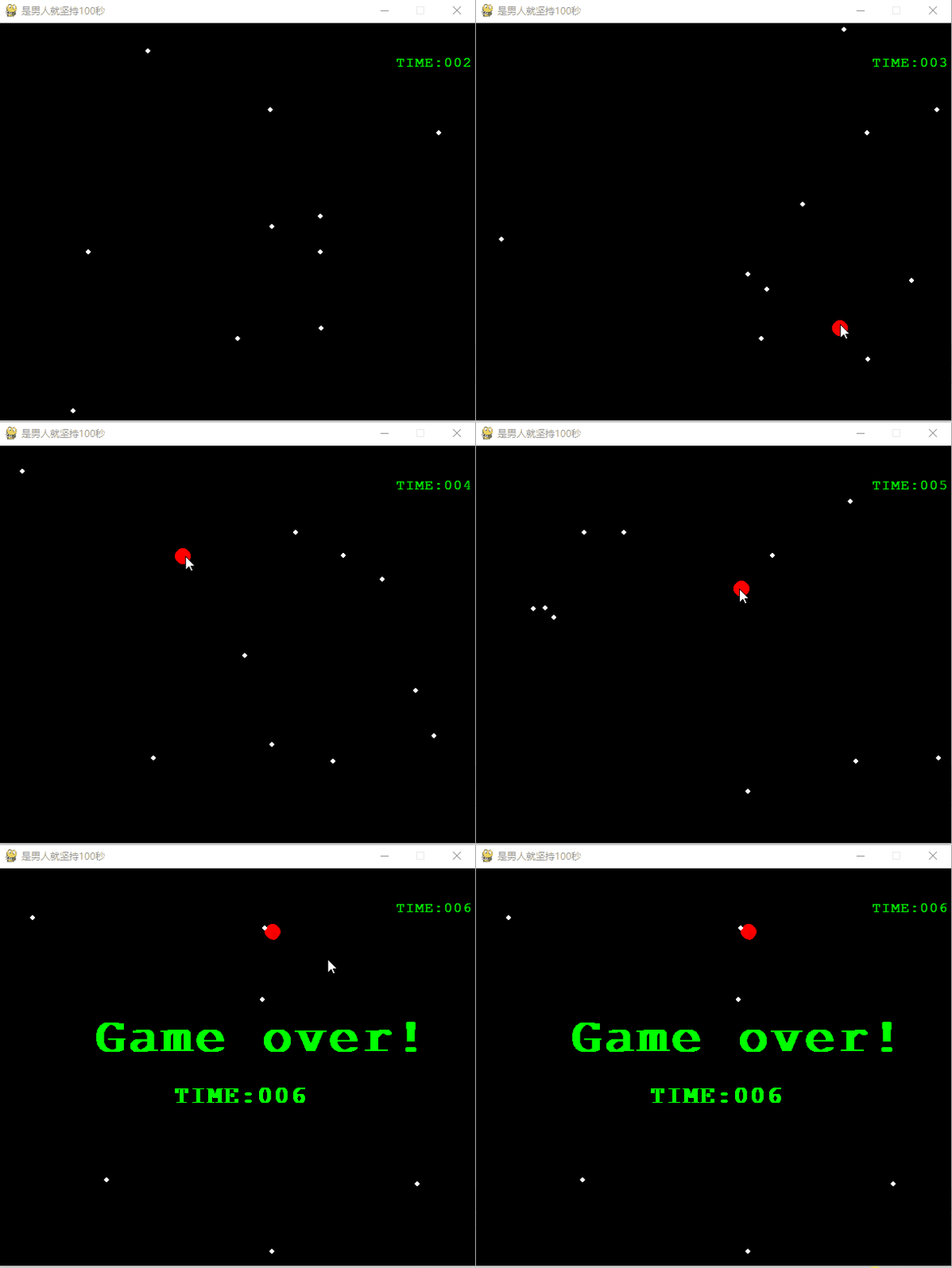
总结
本文使用了 Python 是实现了一个简单的是男人就坚持 100 秒的小游戏,有兴趣的小伙伴可以对游戏进一步扩展,比如过几秒钟加几个小球等等。