【导语】:云原生的神经搜索框架。
简介
Jina 是一个神经搜索框架,简单快速,可以在几分钟内构建 SOTA 和可扩展的深度学习搜索应用程序。
- 支持几乎所有的数据类型-支持对任何类型的非结构化数据进行大规模索引和查询,比如视频、图片、文本、音乐、源代码、PDF等。
- 快速和云原生-分布式架构,具有可扩展性,支持云原生、容器化、并行、分片、异步调度、HTTP/gRPC/WebSocket 协议。
- 高效快速-几分钟内就可以构建一个深度学习搜索系统。
项目地址:
https://github.com/jina-ai/jina
安装
pip install jina
conda install jina -c conda-forge
docker run jinaai/jina:latest
官方例子
图片搜索
构建命令:
jina hello fashion
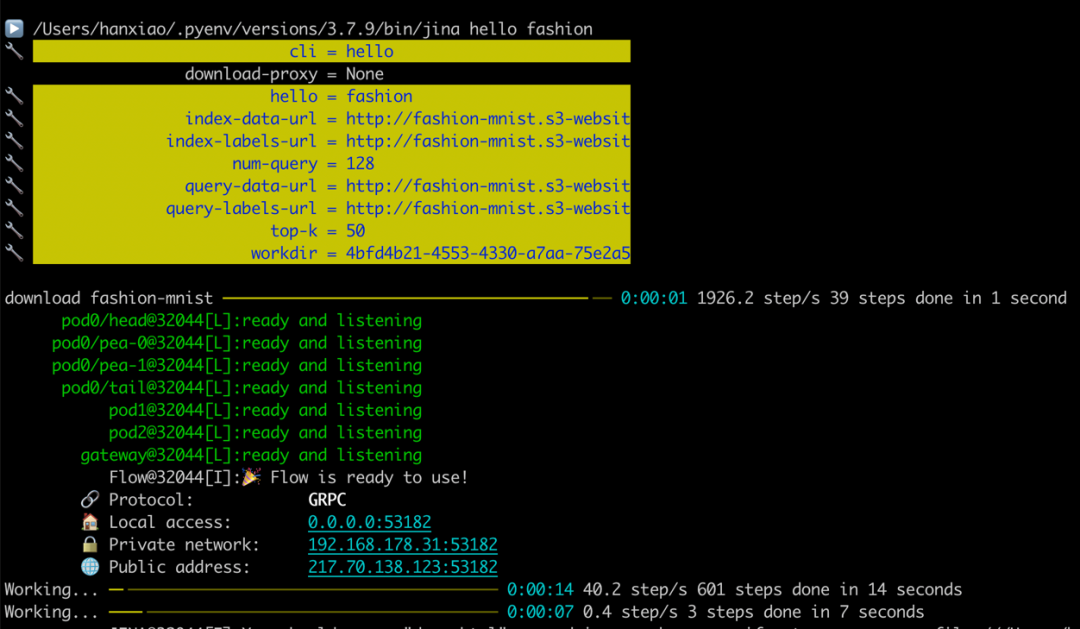
这个过程会下载 Fashion-MNIST 训练和测试数据集,并训练集中索引 60,000 张图像。然后从测试集中随机抽取图像作为查询,整个过程大约需要1分钟。
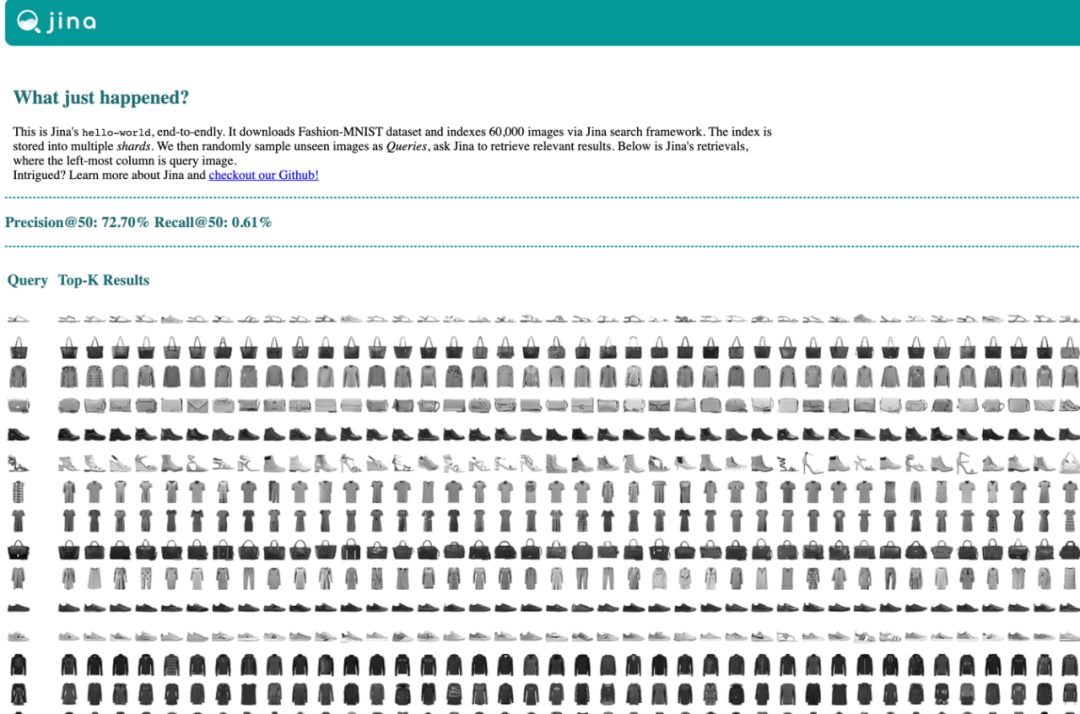
聊天机器人
构建命令:
pip install "jina[demo]"
jina hello chatbot
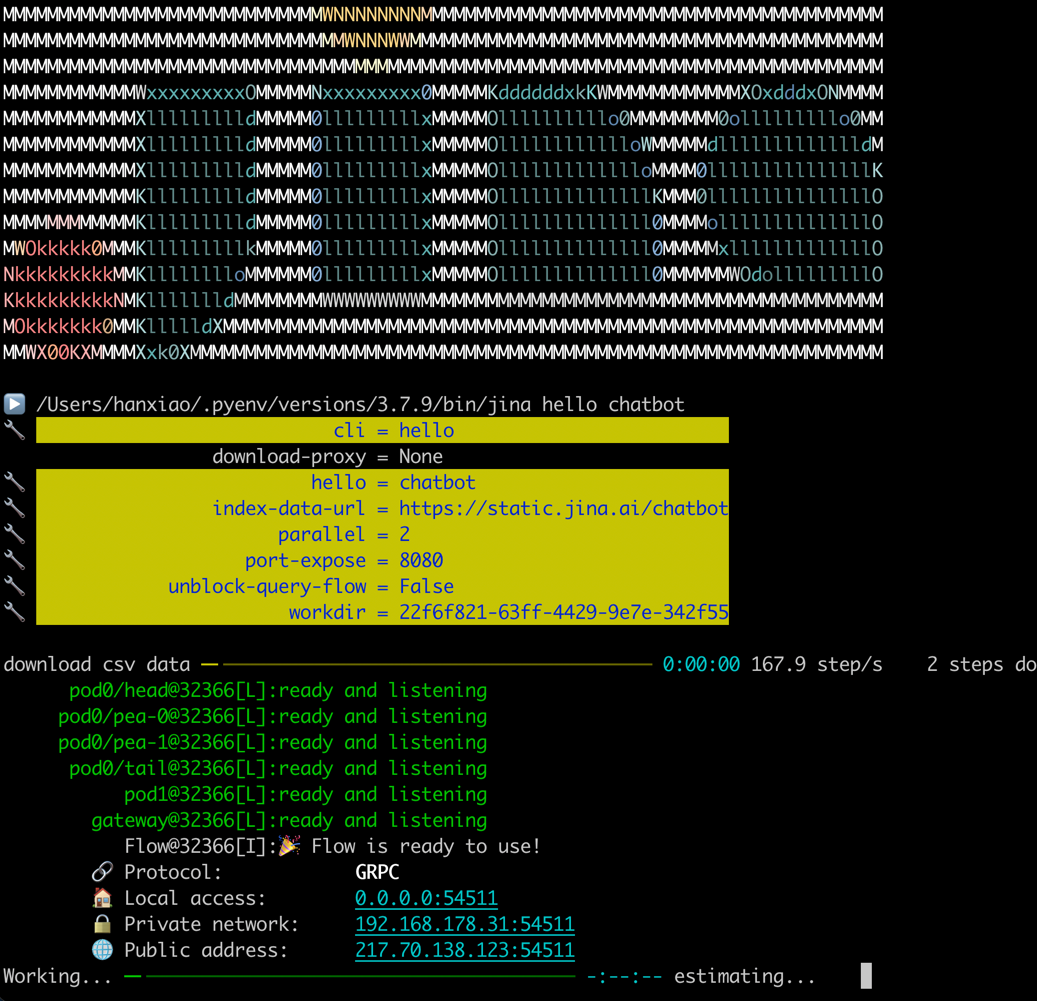
这会下载 CovidQA 数据集并告诉 Jina 使用 MPNet 索引 418 个问答集。索引过程在 CPU 上大约需要 1 分钟。然后它会打开一个网页,可以在其中输入问题并询问 Jina。

构建
Document、Executor 和 Flow 是 Jina 中的三个基本概念。利用这三个组件,就可以构建一个应用程序。
- 📄 Document 是 Jina 中的基本数据类型;
- ⚙️ Executor 是 Jina 处理 Documents 的方式;
- 🔀 Flow 是 Jina 精简和分配 Executor 的方式。
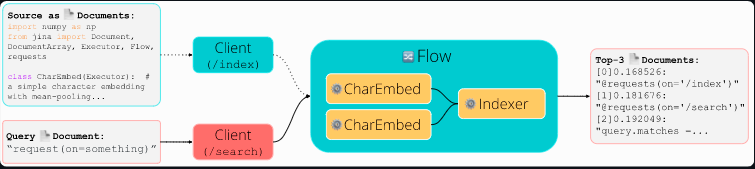
1. 复制以下最小示例并运行
import numpy as np
from jina import Document, DocumentArray, Executor, Flow, requests

class CharEmbed(Executor):  # a simple character embedding with mean-pooling
    offset = 32  # letter `a`
    dim = 127 - offset + 1  # last pos reserved for `UNK`
    char_embd = np.eye(dim) * 1  # one-hot embedding for all chars

    @requests
    def foo(self, docs: DocumentArray, **kwargs):
        for d in docs:
            r_emb = [ord(c) - self.offset if self.offset <= ord(c) <= 127 else (self.dim - 1) for c in d.text]
            d.embedding = self.char_embd[r_emb, :].mean(axis=0)  # average pooling

class Indexer(Executor):
    _docs = DocumentArray()  # for storing all documents in memory

    @requests(on='/index')
    def foo(self, docs: DocumentArray, **kwargs):
        self._docs.extend(docs)  # extend stored `docs`

    @requests(on='/search')
    def bar(self, docs: DocumentArray, **kwargs):
         docs.match(self._docs, metric='euclidean')

f = Flow(port_expose=12345, protocol='http', cors=True).add(uses=CharEmbed, parallel=2).add(uses=Indexer)  # build a Flow, with 2 parallel CharEmbed, tho unnecessary
with f:
    f.post('/index', (Document(text=t.strip()) for t in open(__file__) if t.strip()))  # index all lines of _this_ file
    f.block()  # block for listening request
2. 在浏览器中打开(http://localhost:12345/docs),点击 /search 并输入以下文本,点击 Execute 按钮:
{"data": [{"text": "@requests(on=something)"}]}
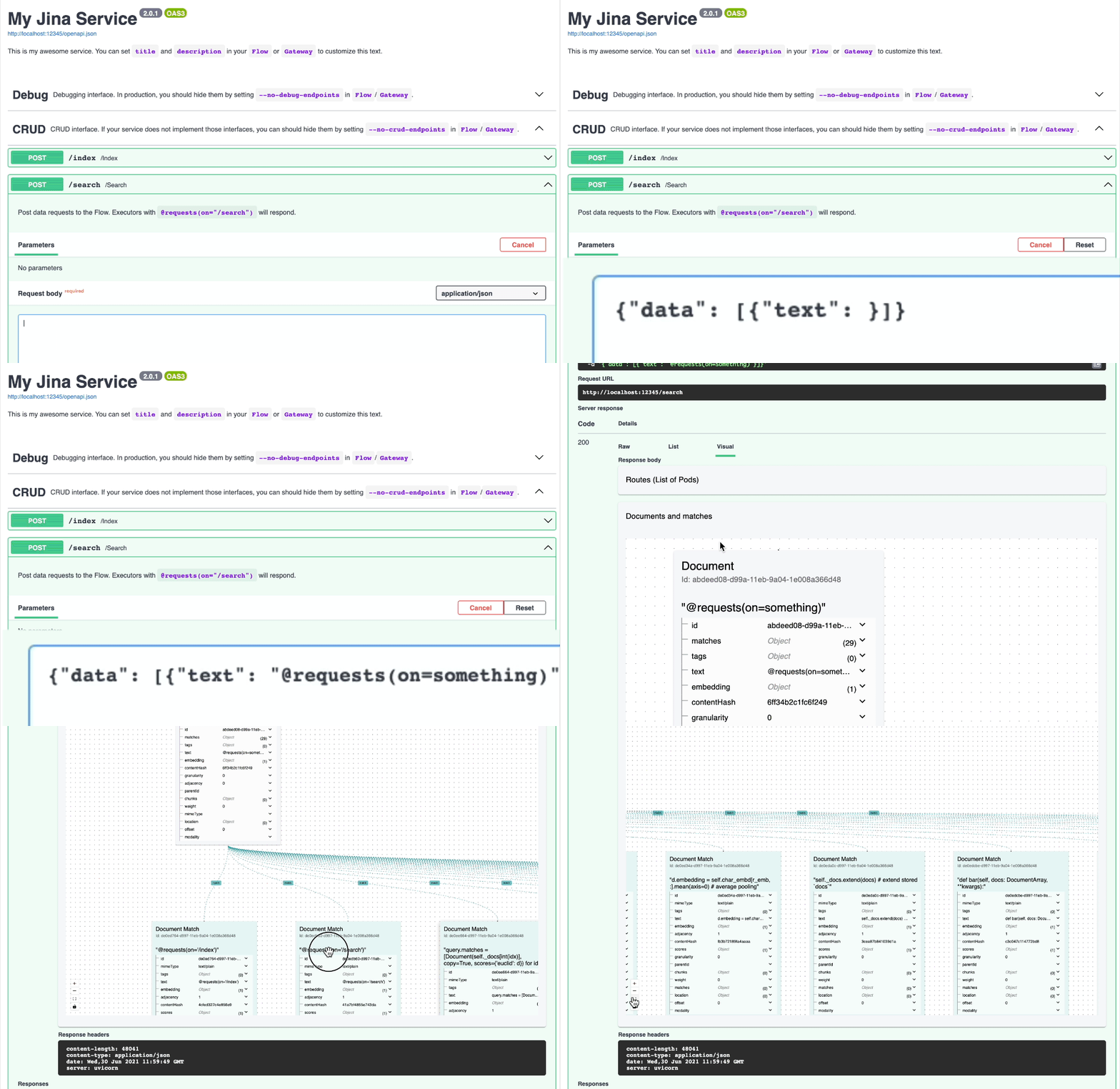
3. 不喜欢 GUI 也可以使用 Python 命令行来做。保持步骤 1 的服务运行,通过 Python 创建客户端:
from jina import Client, Document
from jina.types.request import Response


def print_matches(resp: Response):  # the callback function invoked when task is done
    for idx, d in enumerate(resp.docs[0].matches[:3]):  # print top-3 matches
        print(f'[{idx}]{d.scores["euclidean"].value:2f}: "{d.text}"')


c = Client(protocol='http', port=12345)  # connect to localhost:12345
c.post('/search', Document(text='request(on=something)'), on_done=print_matches)
打印如下结果:
Client@1608[S]:connected to the gateway at localhost:12345!
[0]0.168526: "@requests(on='/index')"
[1]0.181676: "@requests(on='/search')"
[2]0.218218: "from jina import Document, DocumentArray, Executor, Flow, requests"



