相信很多人都玩过 chrome 浏览器上提供的恐龙跑跑游戏,在我们断网或者直接在浏览器输入地址“chrome://dino/”都可以进入游戏
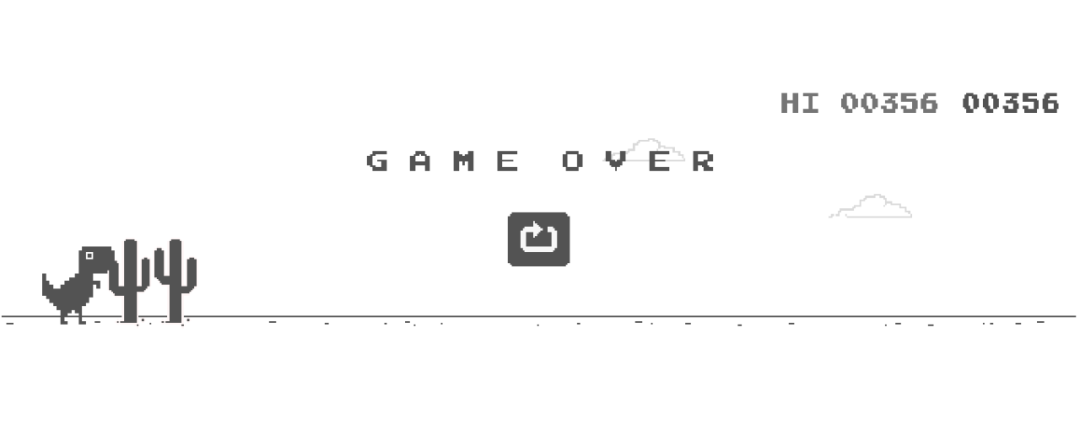
今天我们就是用 Python 来制作一个类似的小游戏
素材准备
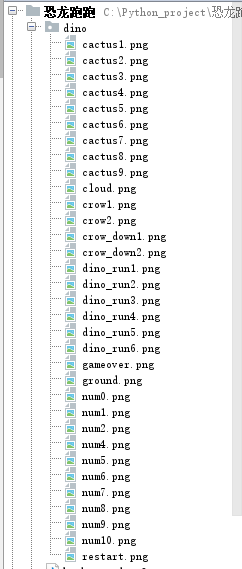
首先我们准备下游戏所需的素材,比如恐龙图片,仙人掌图片,天空,地面等等,我们统一放到 dino 文件夹下
游戏逻辑
我们使用 Pygame 来制作游戏,先进行游戏页面的初始化
import pygame

# 初始化
pygame.init()
pygame.mixer.init()
# 设置窗口大小
screen = pygame.display.set_mode((900, 200))
# 设置标题
pygame.display.set_caption("恐龙跳跳")
# 使用系统自带的字体
my_font = pygame.font.SysFont("arial", 20)
score = 0
# 背景色
bg_color = (218,220,225)
接下来我们将各种素材加载进内存
# 加载正常恐龙
dino_list = []
temp = ""
for i in range(1, 7):
temp = pygame.image.load(f"dino/dino_run{i}.png")
dino_list.append(temp)
dino_rect = temp.get_rect()
index = 0
# x 初始值
dino_rect.x = 100
# y 初始值
dino_rect.y = 150
# print(dino_rect)
# 设置y轴上的初速度为0
y_speed = 0
# 起跳初速度
jumpSpeed = -20
# 模拟重力
gravity = 2
加载地面
ground = pygame.image.load("dino/ground.png")
# 加载仙人掌
cactus = pygame.image.load("dino/cactus1.png")
cactus_rect = cactus.get_rect()
cactus_rect.x,cactus_rect.y = 900,140
# 加载重新再来
restart = pygame.image.load("dino/restart.png")
restart_rect = restart.get_rect()
restart_rect.x,restart_rect.y = (900-restart.get_rect().width)/2,(200-restart.get_rect().height)/2+50
# 加载 gameover
gameover = pygame.image.load("dino/gameover.png")
gameover_rect = gameover.get_rect()
gameover_rect.x, gameover_rect.y = (
900-gameover.get_rect().width)/2, (200-gameover.get_rect().height)/2
# 地面移动速度与距离
ground_speed = 10
ground_move_distance = 0
# 时钟
clock = pygame.time.Clock()
# 重新再来一次
is_restart = False
text_color = (0,0,0)
再接下来,我们通过一个 while 死循环来保持游戏进程
while True:
    # 每秒30次
    clock.tick(30)
    ...
在上面的循环当中,我们需要两个检测机制,事件检测和碰撞检测
事件检测
# 事件侦测
    for event in pygame.event.get():
        if event.type == pygame.QUIT:
            if result_flag:
                with open("result.ini", "w+") as f:
                    f.write(str(best))
            sys.exit()
        # 空格键侦测
        if event.type == pygame.KEYDOWN:
            if event.key == pygame.K_SPACE and dino_rect.y==150:
                y_speed = jumpSpeed
主要检测退出事件和空格键事件
碰撞检测
# 碰撞检测
    if dino_rect.colliderect(cactus_rect):
        while not is_restart:
            # 事件侦测
            for event in pygame.event.get():
                if event.type == pygame.QUIT:
                    if result_flag:
                        with open("result.ini", "w+") as f:
                            f.write(str(best))
                    sys.exit()
                # 空格键侦测
                if event.type == pygame.KEYDOWN:
                    if event.key == pygame.K_SPACE:
                        is_restart = True
                        bg_color = (218,220,225)
                        ground_speed = 10
            # 设置重新再来图片
            screen.blit(restart, restart_rect)
            screen.blit(gameover, gameover_rect)
            pygame.display.update()
对于碰撞,只要恐龙碰撞到了仙人掌,那么游戏结束,展示重新再来图片
由于我们希望游戏可以记录我们的最好成绩,所以这里使用了本地文件存储游戏记录的方式,当游戏结束的时候,根据当前游戏成绩来判断是否将新的成绩写入文件当中
下面是计算跑动距离和最好成绩的代码
# 统计距离
score += ground_speed
score_surface = my_font.render("Distance: "+str(score), True, text_color)
# 计算最好成绩
result_flag = False
if score >= best:
best = score
result_flag = True
best_result = my_font.render("Best Result: " + str(best), True, text_color)
我们还需要给不同距离增加不同的游戏难度,毕竟跑起来,肯定距离越远,难度越大嘛
# 更换背景色,成绩大于4000
    if score > 4000:
        bg_color = (55,55,55)
        ground_speed = 15
        text_color = (255,255, 255)
# 更换背景色,成绩大于8000
    if score > 8000:
        bg_color = (220,20,60)
        ground_speed = 20
        text_color = (255, 255, 255)

    # 更换背景色,成绩大于12000
    if score > 12000:
        bg_color = (25,25,112)
        ground_speed = 25
        text_color = (255, 255, 255)

    # 设置背景色
    screen.fill(bg_color)
最后我们将所有加载到内存当中的元素都呈现在 screen 上
# 设置地面图片1
    screen.blit(ground, (0-ground_move_distance, 180))
    # 设置地面图片2,在右边边界外
    screen.blit(ground, (900-ground_move_distance, 180))
    # 设置恐龙图片
    screen.blit(dino_list[index % 6], dino_rect)
    # 设置仙人掌图片
    screen.blit(cactus, cactus_rect)
    # 设置分数
    screen.blit(score_surface,(780,20))
    # 设置最好成绩
    screen.blit(best_result, (20, 20))

    pygame.display.update()
为了增加游戏性,我们再增加背景音乐和跳跃音效
pygame.mixer.music.load("background.mp3")
pygame.mixer.music.play(-1, 0)
sound = pygame.mixer.Sound('preview.mp3')
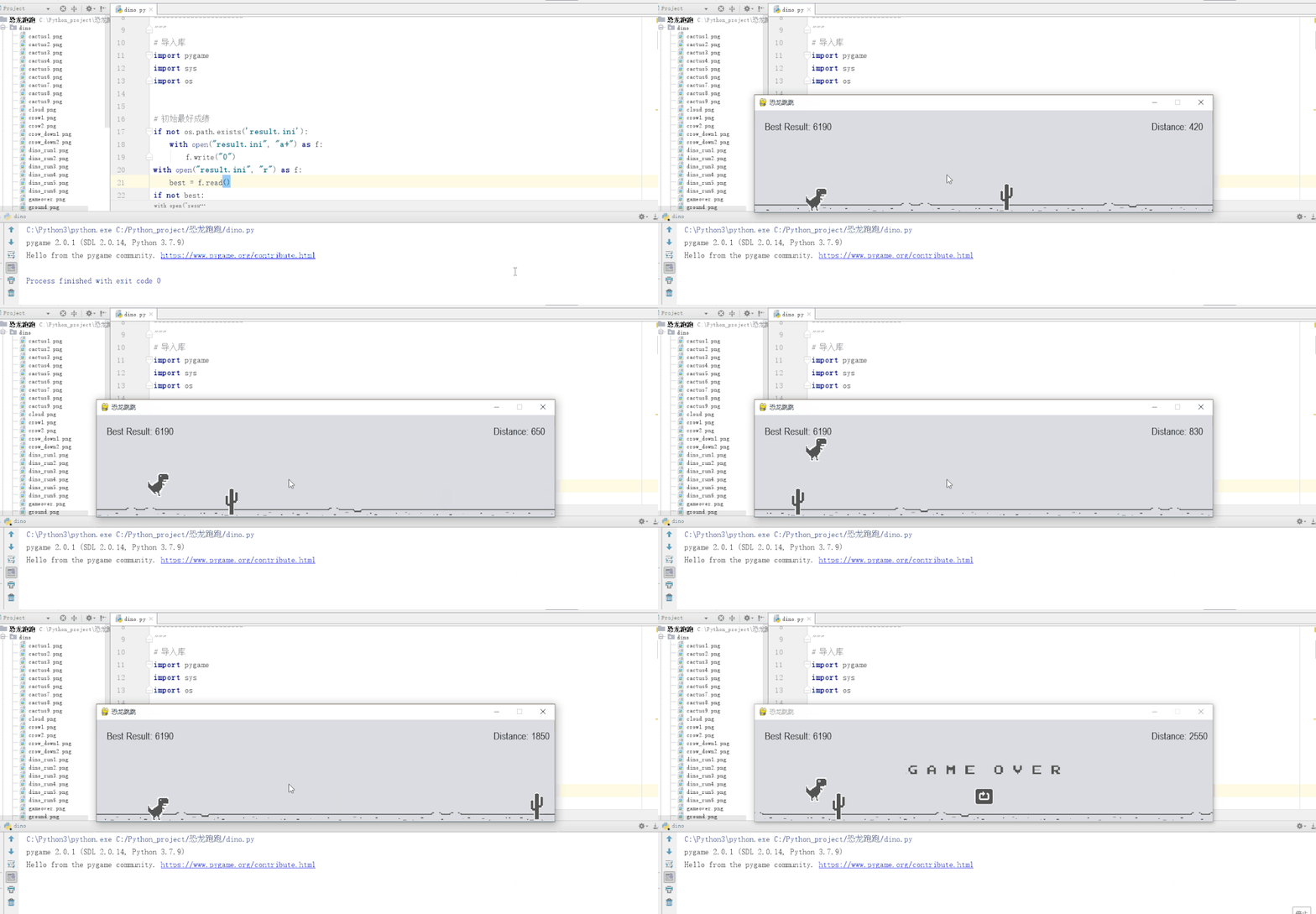
这样,一个简单易用的恐龙跑跑游戏就完成了,我们来看下效果吧
好了,今天的分享就到这里,喜欢就点个赞吧
重磅!Python交流群已成立
为了给小伙伴们提供一个互相交流的技术平台,特地开通了Python交流群。群里有不少技术大神,不时会分享一些技术要点,更有一些资源收藏爱好者不时分享一些优质的学习资料。(免费,不卖课!)
▲长按扫码