前两天我发布了一篇使用Python获取斗鱼小姐姐图片并为其颜值打分排序。小伙伴们反馈文章都很实用大家也是比较有兴趣的。
文章从最初的图片爬取到颜值打分到最后的颜值排序,内容都十分详细,有兴趣的小伙伴们可以看看我们在颜值测评这块调用的是某度的人脸识别api,今天我们就着重看一下在python中如何使用第三方模块
百度开源的人脸识别接口,通过上传人像图片可以返回颜值打分,年龄等信息;今天我们看看如何使用这个接口实现一款Python颜值打分神器
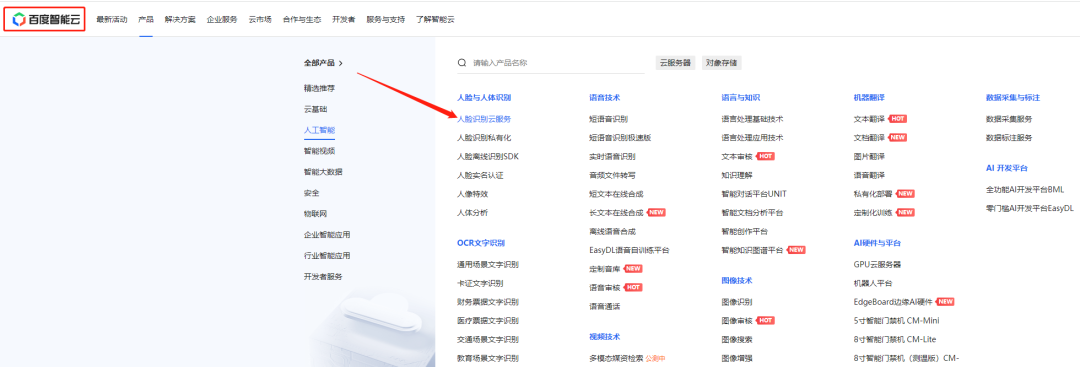
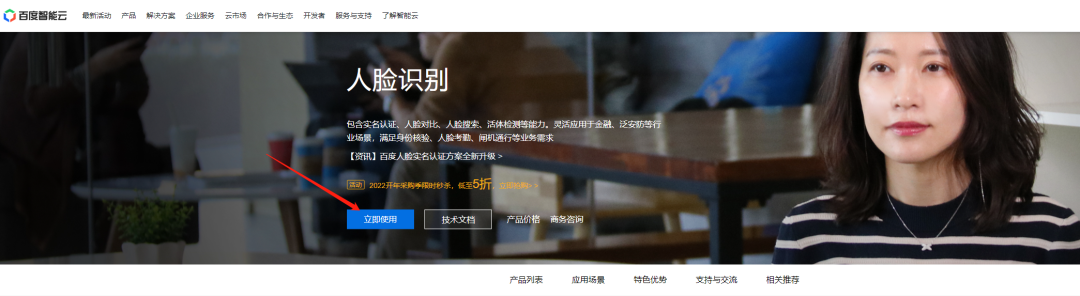
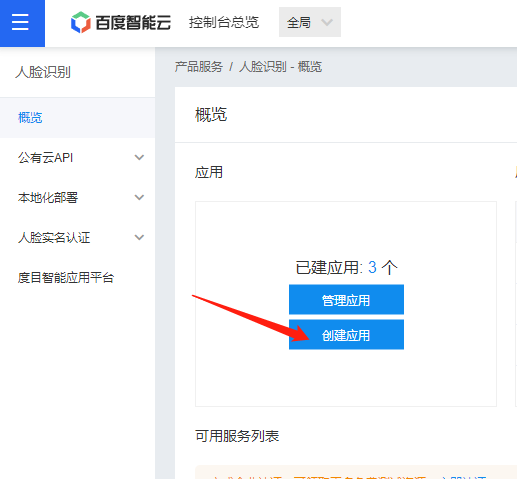
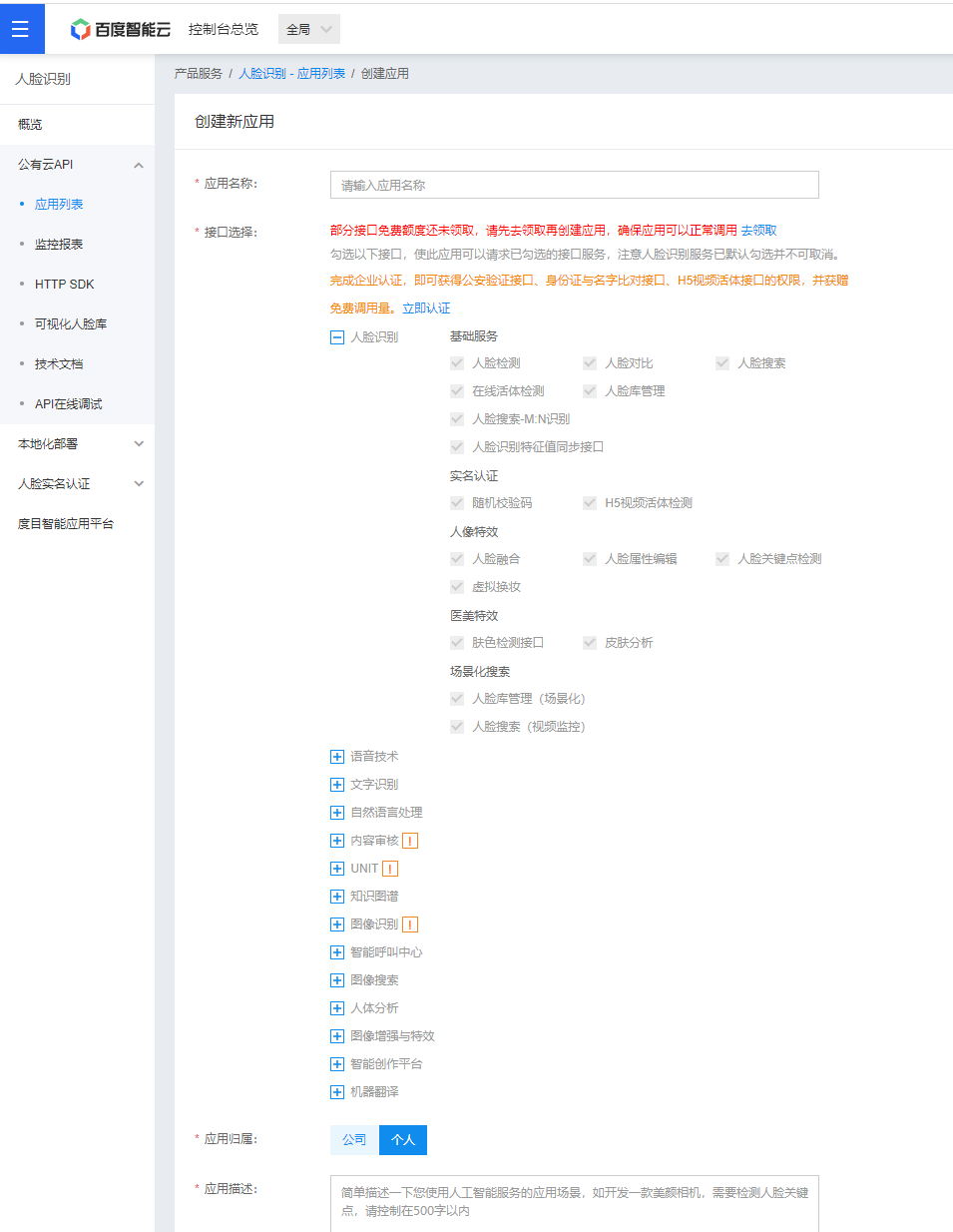
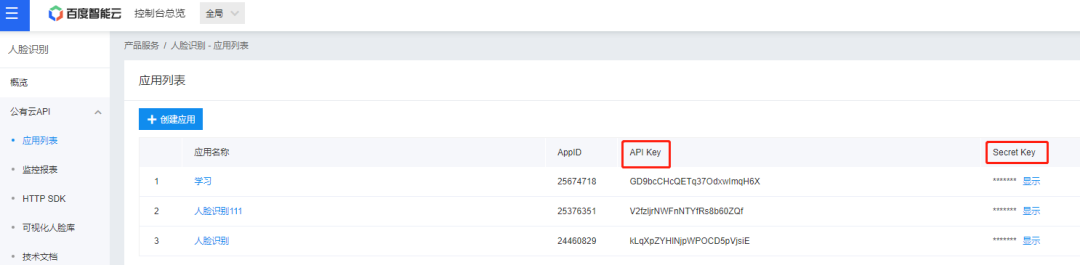
调用方式
请求URL数据格式,向API服务地址使用POST发送请求,必须在URL中带上参数access_token,可通过后台的API Key和Secret Key生成
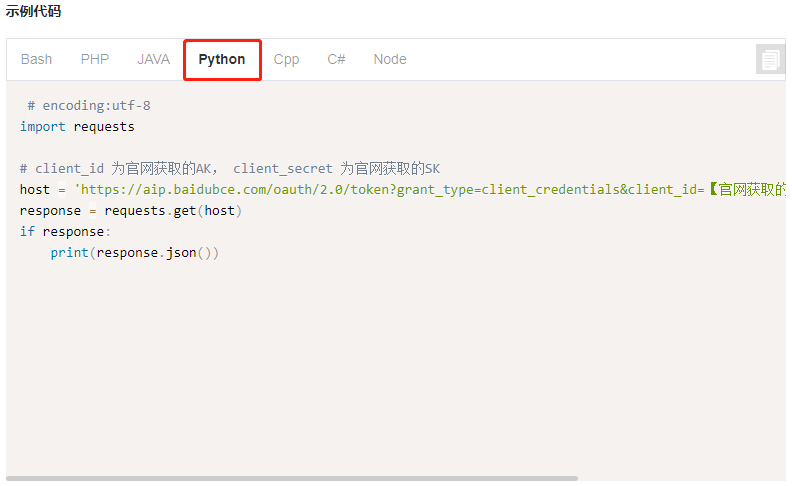
所以第一步我们是用上面的python代码生成我们所需的access_token
# encoding:utf-8
import requests
from icecream import ic
# client_id 为官网获取的AK, client_secret 为官网获取的SK
host = 'https://aip.baidubce.com/oauth/2.0/token?grant_type=client_credentials&client_id=GD9bcCHcQETq37OdxwImqH6X&client_secret=tbtX8c5GG7BGkSXe874LLVtaOi3exAQN'
response = requests.get(host)
if response:
ic(response.json())
'''
ic| response.json(): {'access_token': '24.cc3e7b026490d25129eb65d8f7adc70a.2592000.1648793474.282335-25674718',
'expires_in': 2592000,
'refresh_token': '25.36c464a8fbd78c59bc6db8442c6862cd.315360000.1961561474.282335-25674718',
'scope': 'public brain_all_scope vis-faceverify_faceverify_h5-face-liveness '
'vis-faceverify_FACE_V3 vis-faceverify_idl_face_merge '
'vis-faceverify_FACE_EFFECT vis-faceverify_face_beauty '
'vis-faceverify_face_feature_sdk brain_face_scene_scope wise_adapt '
'lebo_resource_base lightservice_public hetu_basic lightcms_map_poi '
'kaidian_kaidian ApsMisTest_Test权限 vis-classify_flower lpq_开放 '
'cop_helloScope ApsMis_fangdi_permission smartapp_snsapi_base '
'smartapp_mapp_dev_manage iop_autocar oauth_tp_app '
'smartapp_smart_game_openapi oauth_sessionkey smartapp_swanid_verify '
'smartapp_opensource_openapi smartapp_opensource_recapi '
'fake_face_detect_开放Scope vis-ocr_虚拟人物助理 idl-video_虚拟人物助理 '
'smartapp_component smartapp_search_plugin avatar_video_test '
'b2b_tp_openapi b2b_tp_openapi_online',
'session_key': '9mzdWBOhzPMLX7G1V6B8Tsp9nrv1yjuFBxcP98asOgonK1N8yaWUah0XetLBqnJ/lhM9bctoAjfHOHOuw8JGNtuQeddKNA==',
'session_secret': 'b8618a53db61df35c8a74eb2f2190fcd'}
'''
可以看到在我们获取信息的列表中已经有了access_token,我们直接将其打印出来注意:access_token的有效期为30天,切记需要每30天进行定期更换,或者每次请求都拉取新token;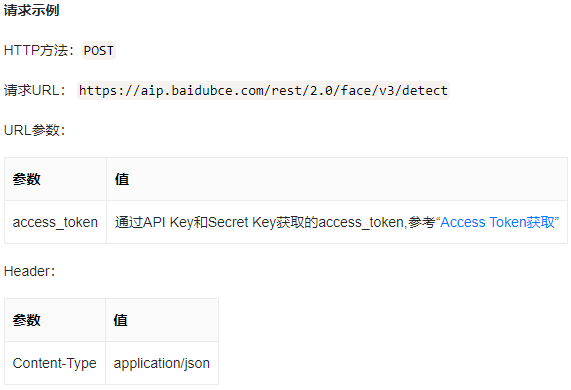
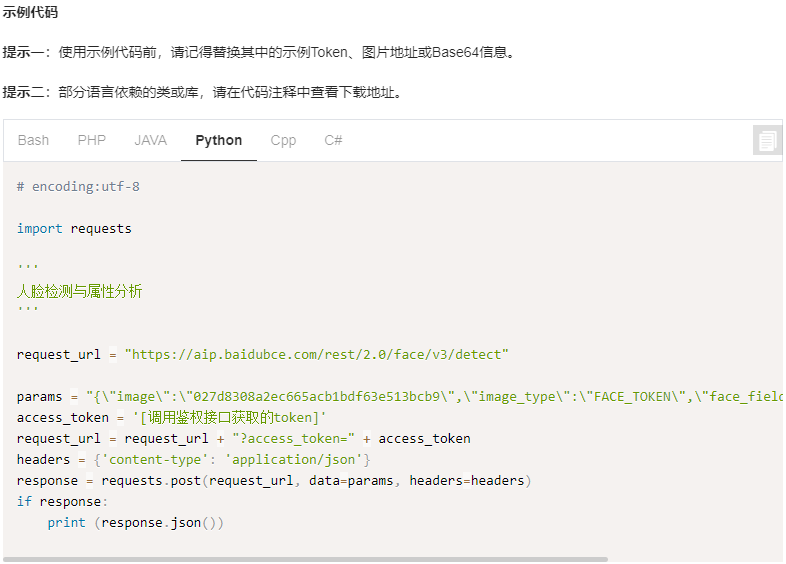
'''
人脸检测与属性分析
'''

request_url = f"https://aip.baidubce.com/rest/2.0/face/v3/detect?access_token={token}" # 传入获取到的token值

params = {
    'image': 'img_base64',  # 读取图片
    'image_type': 'BASE64',
    'face_field': 'beauty',
}
headers = {'content-type': 'application/json'}
response = requests.post(request_url, data=params, headers=headers)
ic(response.json())
接下来我们就可以传入图片来测试了,我们读取图片后可以看到获取到了很多的参数值。其中beauty的值,这就是我们的颜值评分# 读取一张图片
f = open('pictures\\Cic小野猫.jpg', mode='rb')
# 转base64
img_base64 = base64.b64encode(f.read())
'''
人脸检测与属性分析
'''
request_url = f"https://aip.baidubce.com/rest/2.0/face/v3/detect?access_token={token}" # 传入获取到的token值
params = {
'image': img_base64, # 读取图片
'image_type': 'BASE64',
'face_field': 'beauty',
}
headers = {'content-type': 'application/json'}
response = requests.post(request_url, data=params, headers=headers)
ic(response.json())
'''
ic| response.json(): {'cached': 0,
'error_code': 0,
'error_msg': 'SUCCESS',
'log_id': 3286911609,
'result': {'face_list': [{'angle': {'pitch': 13.32,
'roll': -31.16,
'yaw': -9.15},
'beauty': 73.06,
'face_probability': 1,
'face_token': '0f3681fd9fa67788bdf03c30126c21d7',
'location': {'height': 178,
'left': 67.75,
'rotation': -27,
'top': 168.56,
'width': 179}}],
'face_num': 1},
'timestamp': 1646204086}
'''
# 颜值评分
beauty = response.json()['result']['face_list'][0]['beauty']
'''
ic| beauty: 73.06
'''
for file in files:
    img_file = 'pictures\\' + file
    img_name = file.split('.')[0]
    f = open(img_file, mode='rb')
    # 转base64
    img_base64 = base64.b64encode(f.read())
    # 调用评分函数
    beauty = get_beauty(img_base64)
    print(f'主播{img_name},颜值评分是{beauty}')
'''
主播7z流川枫,颜值评分是71.43
主播Ai田幸儿,颜值评分是59.85
主播Amo柠檬C,颜值评分是68.91
主播April小满,颜值评分是84.38
Traceback (most recent call last):
  File "U:\Python\pycharm+\斗鱼\test.py", line 46, in
    beauty = get_beauty(img_base64)
  File "U:\Python\pycharm+\斗鱼\test.py", line 35, in get_beauty
    beauty = response.json()['result']['face_list'][0]['beauty']
KeyError: 'result'
'''
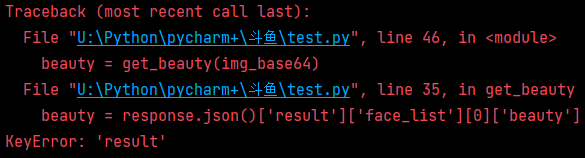
我们的多张图片评分在检测图中报错如上,这是什么原因呢?
我们的人脸识别靠的是150个像素点,但是图片中有时候小姐姐会戴口罩或者捂嘴笑或者是有一个小宠物等等原因都会间接的影响我们的人脸识别为了避免此问题我们可以使用try-catch将该异常进行捕获,这样一来我们不但可以清楚的知道那些图片是无法正常读取的而且不会产生错误导致程序中断了try:
beauty = response.json()['result']['face_list'][0]['beauty']
return beauty
except:
return '人脸识别失败!'
'''
主播7z流川枫,颜值评分是71.43
主播Ai田幸儿,颜值评分是59.85
主播Amo柠檬C,颜值评分是68.91
主播April小满,颜值评分是84.38
主播Asta昕昕,颜值评分是74.33
主播A柠檬女孩,颜值评分是人脸识别失败!
主播baby1218,颜值评分是人脸识别失败!
主播Babyjojo鬼鬼,颜值评分是77.95
主播BOA茶宝,颜值评分是46.77
主播Cc小懒猫,颜值评分是62.52
主播ch朵儿,颜值评分是69.5
'''
最后一步我们将评分后的颜值小姐姐进行排序操作,提起排序想到了什么?
我们要将所需参数主播姓名和颜值评分放入列表当中然后使用sort方法进行排序输出,最终结果展示如下:for file in tqdm(files[:20]):
img_file = 'pictures\\' + file
img_name = file.split('.')[0]
f = open(img_file, mode='rb')
# 转base64
img_base64 = base64.b64encode(f.read())
# 调用评分函数
beauty = get_beauty(img_base64)
# 颜值排名
if beauty != '人脸识别失败!':
dit = {
'主播': img_name,
'颜值': beauty
}
# 字典添加到空列表
lis.append(dit)
lis.sort(key=lambda x:x['颜值'], reverse=True)
num = 1
for index in lis:
print(f'颜值排名第{num}的主播{index["主播"]},颜值评分是{index["颜值"]}')
num += 1
'''
颜值排名第1的主播April小满,颜值评分是84.38
颜值排名第2的主播Ice美黛,颜值评分是81.98
颜值排名第3的主播Fay清漪,颜值评分是81.48
颜值排名第4的主播Babyjojo鬼鬼,颜值评分是77.95
颜值排名第5的主播Dy秦薇薇,颜值评分是76.33
颜值排名第6的主播Asta昕昕,颜值评分是74.33
颜值排名第7的主播Cic小野猫,颜值评分是73.06
颜值排名第8的主播7z流川枫,颜值评分是71.43
颜值排名第9的主播ch朵儿,颜值评分是69.5
颜值排名第10的主播Ai田幸儿,颜值评分是59.85
颜值排名第11的主播BOA茶宝,颜值评分是46.77
颜值排名第12的主播D响叮铛,颜值评分是46.25
'''



